Lab Inventory Management: Spreadsheet Template and Tools
The columns a lab inventory spreadsheet needs, how to set reorder levels, a simple ordering workflow, and when to move to free or paid inventory software.
A lab inventory works when every item has a row with a unique ID, what it is, how much is left, exactly where it is (freezer, shelf, box, position), when it expires, and a reorder level. One person owns the list, everyone updates it the moment they receive, open or finish something, and you reorder when stock hits the reorder level, not when someone finds an empty box. Start with a spreadsheet; move to software when keeping it honest costs more than an hour a week.
Most labs do not lack an inventory. They have three: a spreadsheet nobody trusts, a freezer map on the door that was right in 2023, and one person's memory. This guide gives you the columns, a template, a reorder rule, and the signals that it is time for a real system, with honest prices for the options.
Why it matters more than it looks
A missing inventory costs a lab in three ways. Money: duplicate orders and reagents that expire unopened at the back of a freezer. Time: students searching for a tube that someone used up last week, and experiments delayed by a two-week backorder. And safety: chemicals that nobody knows are there, or have been there for a decade.
STEMCELL Technologies' guide on lab stock puts the core habit simply: keep an updated inventory spreadsheet and make sure every lab member updates it when new items arrive. The rest of this guide is about making that habit easy enough that people actually do it.
The columns your inventory needs
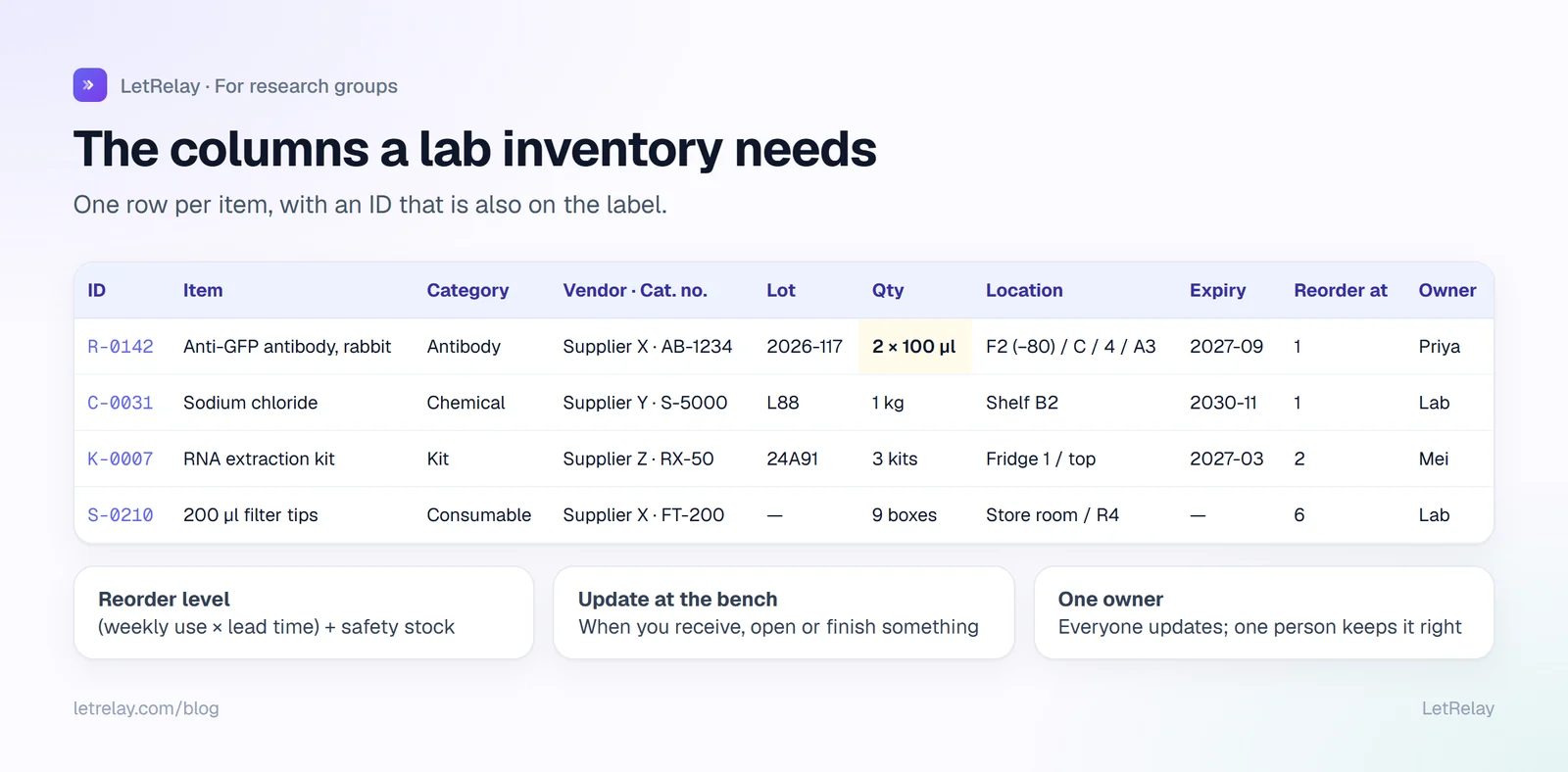
| Column | Example | Why |
|---|---|---|
| ID | R-0142 | Unique, written on the label. Survives renamed items. |
| Item | Anti-GFP antibody, rabbit | What people search for |
| Category | Antibody | Filtering and different rules per category |
| Vendor and catalogue no. | Supplier X, AB-1234 | Reordering in one click |
| Lot number | 2026-117 | Troubleshooting when an experiment suddenly fails |
| Quantity and unit | 2 x 100 µl | What is actually left |
| Location | Freezer 2 (-80), rack C, box 4, A3 | So nobody opens the freezer for five minutes |
| Received / opened | 2026-09-02 / 2026-09-15 | Stability after opening |
| Expiry | 2027-09-01 | Use the oldest first; bin the expired |
| Reorder level | 1 | When to reorder (see below) |
| Owner | Priya | Who to ask; who clears it out when they leave |
| Hazard / SDS link | H315, SDS link | Safety, and what your safety office will ask for |
As a copyable header row:
id,item,category,vendor,catalogue_no,lot,quantity,unit,location,received,opened,expiry,reorder_level,owner,hazard,sds_link,notes
R-0142,Anti-GFP antibody rabbit,antibody,Supplier X,AB-1234,2026-117,2,100 ul,F2(-80)/C/4/A3,2026-09-02,2026-09-15,2027-09-01,1,Priya,,,aliquoted 20 ul
C-0031,Sodium chloride,chemical,Supplier Y,S-5000,L88,1,1 kg,Shelf B2,2025-11-10,2025-11-12,2030-11-01,1,Lab,,https://...,
Keep IDs short and permanent, and print them on labels with alcohol-resistant ink or labels, as STEMCELL also recommends. The ID on the tube is what connects the physical world to the spreadsheet.
Different rules for different things
One sheet can hold everything, but categories need slightly different handling:
- Consumables (tips, tubes, gloves, plates): track quantity and reorder level only. Nobody needs a lot number for pipette tips.
- Reagents and kits: lot number and expiry matter. Note when a kit was opened.
- Chemicals: hazard class and a link to the safety data sheet. Your institution's safety office usually sets rules for chemical inventories and storage; follow theirs first.
- Biological materials (antibodies, plasmids, cell lines, strains): exact freezer position, who made or received it, and aliquot counts. These are often irreplaceable.
- Equipment: belongs in a separate asset list with serial numbers, service dates and booking rules.
Setting reorder levels
A reorder level is the quantity at which you order more, so the new stock arrives before you run out. A simple rule:
reorder level = (typical use per week x supplier lead time in weeks) + safety stock

Example: the lab uses 2 boxes of 200 µl tips a week, the supplier takes
2 weeks, and you want 1 week of margin:
reorder level = (2 x 2) + 2 = 6 boxes
Set it once for the items that stop experiments when they run out, and adjust after a few months when you see how often you order. Do not bother for cheap items that are always in stock locally.
A simple ordering workflow
Most inventory problems are really ordering problems. Separate the steps, and give each one an owner:
- Request. Anyone adds what they need to one ordering list, with the catalogue number, quantity and the grant it should be charged to. STEMCELL suggests a shared ordering spreadsheet that one designated person consolidates weekly.
- Approve. The PI or lab manager approves anything over an agreed amount.
- Order. One person places orders on a fixed day, which cuts shipping costs and duplicate orders.
- Receive. Whoever unpacks it updates the inventory and labels it, the same day.
- Close. The request is marked received, so nobody chases it.
Keeping it honest
- Update at the bench, not later. A QR code or ID on each box that opens the row makes this take seconds.
- Quarterly check. One hour, two people, one freezer at a time. Remove expired items and fix locations.
- Departure checklist. When someone leaves, they go through everything they own with the lab manager: keep, hand over, or discard. STEMCELL recommends exactly this to stop freezers filling with mystery tubes. It belongs next to your lab onboarding checklist as its mirror image.
- One owner of the list. Usually the lab manager. Everyone updates it; one person is responsible for it being right.
When to move beyond a spreadsheet
Spreadsheets break in predictable ways: two people edit different copies, nobody updates quantities, and there is no history of who took what. Consider moving when:
- more than about eight people use the inventory,
- someone spends more than an hour a week reconciling it,
- you need reorder alerts, audit history, or barcode scanning,
- your safety office asks for chemical inventory reports you cannot produce easily.
The options, with prices checked on 28 September 2026:
| Option | Cost | Good for | Watch out for |
|---|---|---|---|
| Google Sheets or Excel | Free with most institutional accounts | Small labs, getting started | No alerts, easy to break |
| Grist | Free plan: 5,000 records per document, 10 team members; Pro $10 per user per month ($8 billed annually) | A spreadsheet with database structure | Record limit on the free plan |
| eLabFTW | Free, open source, self-hosted | Labs that want inventory next to an ELN; locations, containers, CSV export | Needs a server, ideally run by your institution |
| Quartzy | Academia plan $50 per month billed annually, up to 3 users | Inventory plus ordering requests | Paid; user limit on the academic plan |
| LetRelay | Free plan for small labs, paid plans for larger groups (see pricing) | Consumables with low-stock levels and reorder requests, inside a wider lab workspace | Not a chemical inventory or LIMS |
For a wider comparison of tools beyond inventory, see lab management software for research groups.
For PIs: the numbers worth watching
You do not need to see the inventory. You need three things from it: what is being spent against which grant, what expires unused, and whether experiments are waiting on stock. Ask your lab manager for those three once a month. If nobody can answer them, that is the case for fixing the inventory.
For students and postdocs
Three habits make you the person the lab manager likes: update the sheet the moment you take the last one, write your initials and the date on anything you aliquot, and add to the ordering list before something runs out, not after.
How LetRelay does it
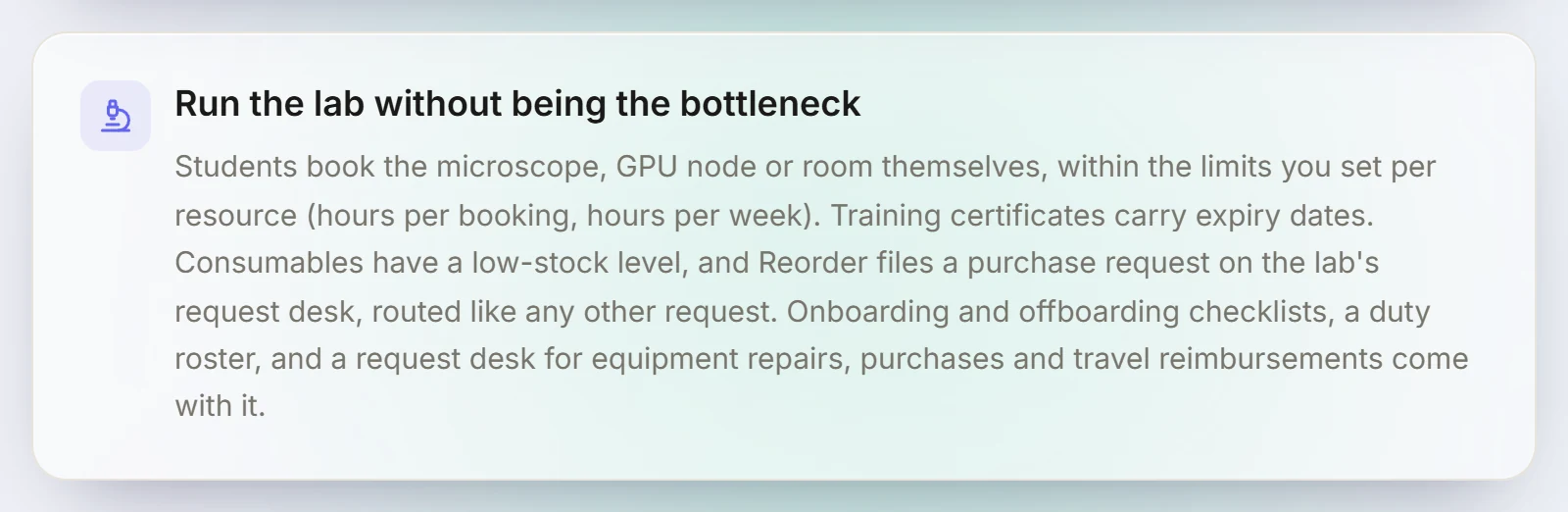
In a LetRelay research group, consumables have a low-stock level, and when something runs low, Reorder files a purchase request on the lab's request desk, where it is routed and tracked like any other request instead of living in a chat message. The same desk handles equipment repairs and travel reimbursements, and onboarding and offboarding checklists sit next to it. LetRelay does not replace a chemical inventory or LIMS; it handles the people side of stock and ordering. More on the LetRelay for research groups page.
FAQ
What should a lab inventory spreadsheet include?
A unique ID, item name, category, vendor and catalogue number, lot number, quantity and unit, exact location, received and opened dates, expiry date, reorder level, owner, and for chemicals a hazard class and a link to the safety data sheet.
How do you organise a lab freezer inventory?
Give every box a position (freezer, rack, box) and every tube a position in the box, record it in the inventory, and label tubes with the inventory ID and date. Keep a printed box map inside each rack as a backup, and check one freezer each quarter.
What is a good free lab inventory system?
A well-structured Google Sheet works for small labs. Grist adds database structure with a free plan, and eLabFTW is a free, open-source option with inventory locations and containers if your institution can host it.
How often should a lab do an inventory check?
A full check once a quarter, one freezer or area at a time, plus a check whenever a lab member leaves. Day to day, the inventory should be updated at the moment items are received, opened or used up.
Who should be responsible for the lab inventory?
One owner, usually the lab manager or a senior technician, is responsible for the list being accurate. Everyone in the lab is responsible for updating it when they take, use up or receive something.
Sources
Building LetRelay, the workspace for research groups and small teams: lab management, supervision tools, and an internal request desk with AI triage and SLA tracking.
Run your internal requests on LetRelay
AI triage, SLA-tracked queues, and bottleneck analytics — the help desk your team actually likes. Free to start.
Keep reading
Lab Expectations Document: What to Include (Template)
What a lab expectations document covers, a copyable template for PIs, real examples from published lab manuals, and how students and lab managers use it.
Lab Equipment Booking System: Fair Rules and Free Options
Booking rules that keep shared microscopes, instruments and GPU nodes fair, a copyable policy, and an honest comparison of free and paid lab booking systems.
Lab Onboarding Checklist for New PhD Students and Members
A lab onboarding checklist for the first day, first week and first month of a new PhD student, postdoc or visiting researcher, plus the offboarding list that keeps data and keys from walking out the door.