Grant Budget Tracking: Burn Rate Formula and Template
Burn rate formulas for PIs, a grant tracking spreadsheet with commitments and a run-out date, what high and low burn rates mean, and a monthly review.
A grant burn rate is how fast you are spending a grant compared with how fast time is passing. The quickest check: the percentage of the budget spent against the percentage of the award period elapsed. For planning, what matters most is the run-out date: remaining budget, minus costs already committed, divided by your expected monthly spend. Review it monthly with your grant administrator, one budget line at a time.
Grants rarely go wrong in one month. They drift: a salary charged to the wrong account, an instrument order that slips, a postdoc who leaves in year two. This guide gives you the formulas, a spreadsheet you can copy, what high and low burn rates usually mean, and a monthly routine that catches drift while there is still time to act.
The formulas
Percent spent            = spent to date / total budget
Percent of time elapsed  = months elapsed / months in award period
Burn ratio               = percent spent / percent of time elapsed
                           (1.0 = on plan; above 1 = spending faster)

Planned monthly burn     = total budget / months in award period
Actual monthly burn      = spent to date / months elapsed

Available                = total budget - spent to date - committed
Months of runway         = available / expected monthly burn from now on
Run-out date             = today + months of runway
"Committed" means money you have promised but not yet spent: salaries through the end of their appointments, open purchase orders, a subcontract invoice due next quarter. Leaving commitments out is the most common reason a grant that looked healthy runs out early.
Use the expected burn from now on, not the average so far, for the runway. If you hired a postdoc last month, your future monthly spend is higher than your historic average.
The free grant burn rate calculator does these sums for you; it starts with the numbers of the worked example below.
A worked example
Illustrative numbers for a three-year award:
Total direct costs:            $750,000 over 36 months
Months elapsed:                18 (50% of the period)
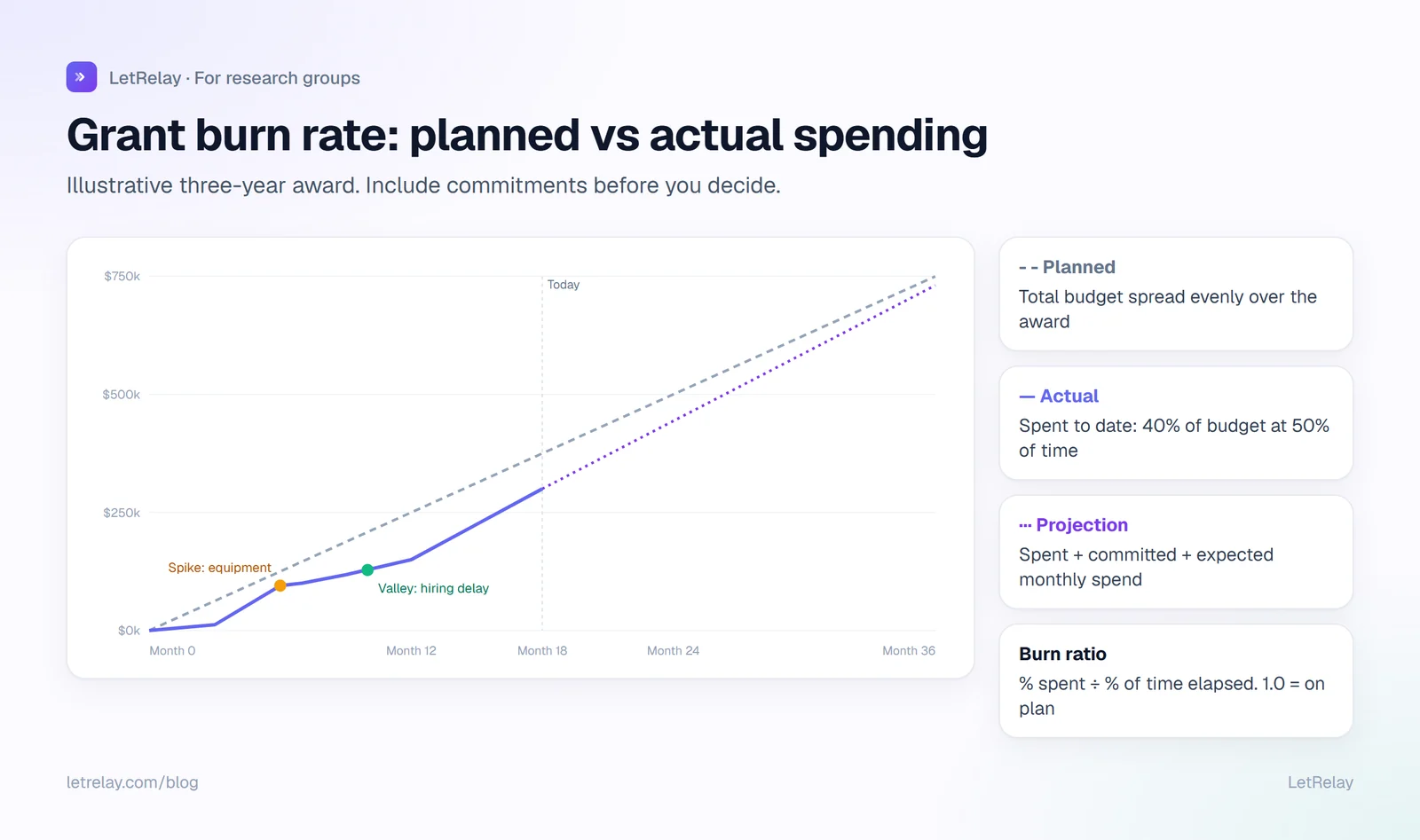
Spent to date:                 $300,000 (40% of the budget)
Burn ratio:                    0.40 / 0.50 = 0.8  (spending slower than plan)

Committed (salaries to end of appointments, open orders): $260,000
Available:                     750,000 - 300,000 - 260,000 = $190,000
Expected non-committed spend:  $9,500 per month (supplies, travel, services)
Runway for non-committed spend: 190,000 / 9,500 = 20 months
Months remaining in award:     18
This grant looks underspent at 0.8, but once commitments are included it has room for about two extra months of supplies, not the large surplus the percentage suggested. The decision it supports: a modest equipment purchase is affordable; a new hire is not.
The tracking spreadsheet
Track by budget line, because sponsors and institutions often have rules about moving money between categories. One row per line:
| Budget line | Budget | Spent | Committed | Available | % spent | % time | Note |
|---|---|---|---|---|---|---|---|
| Personnel (salary and fringe) | 480,000 | 200,000 | 240,000 | 40,000 | 42% | 50% | Postdoc started month 6 |
| Equipment | 90,000 | 62,000 | 0 | 28,000 | 69% | 50% | Microscope camera bought |
| Supplies | 120,000 | 31,000 | 12,000 | 77,000 | 26% | 50% | Sequencing delayed |
| Travel | 30,000 | 7,000 | 3,000 | 20,000 | 23% | 50% | |
| Other direct costs | 30,000 | 0 | 5,000 | 25,000 | 0% | 50% | Publication fees expected |
In Excel or Google Sheets, with Budget in B, Spent in C and Committed in D, and the award start and end dates in named cells Start and End:
Available (E2):        =B2-C2-D2
% spent (F2):          =C2/B2
% time elapsed (G2):   =(TODAY()-Start)/(End-Start)
Burn ratio (H2):       =F2/G2
Months of runway:      =E2/[expected monthly spend for this line]
Add one chart: cumulative planned spending (a straight line from zero to the total) against cumulative actual spending by month. It makes spikes and valleys obvious at a glance.
What high and low burn rates usually mean
Guidance from the University of Colorado Colorado Springs describes both directions well. A high burn rate means you have spent a greater percentage of the budget than of the time; it can come from a spending spike, such as a large equipment purchase, a subcontractor deliverable or summer salary, or from simply spending faster than planned. A low burn rate often comes from a spending valley: supply delays, vendor payment delays, hiring delays or staff turnover.
Both can be fine if they were planned. The same guidance warns that significant, unexplained inconsistencies can bring extra scrutiny from the sponsor, budget reductions, trouble finishing the work on schedule and delayed closeouts; the University of Pittsburgh's research office makes the same point about sponsor scrutiny.
| Signal | Common cause | What to check or do |
|---|---|---|
| Burn ratio well above 1 early | Equipment bought up front | Planned? Then fine. Confirm the remaining lines still cover the work. |
| Burn ratio creeping above 1 | Salary costs higher than budgeted, extra people on the grant | Check effort allocations; move costs if they belong elsewhere. |
| Burn ratio well below 1 | Hiring delay, delayed experiments | Update the spending plan; ask your office about rebudgeting or extension options early. |
| Spent jumps with no purchase | Mis-charged expense | Ask the administrator to correct it now, not at closeout. |
| Salary missing from the grant | Payroll set-up error | Fix before it becomes a large retroactive transfer. |
The monthly review (30 minutes)
UCCS recommends that grant administrators review financial reports and expenditures with PIs monthly, and update spending plans at least quarterly. A routine that fits in half an hour:
- Check every charge is allowable and belongs to this grant. Wrong charges are easiest to fix in the month they appear.
- Check nobody is missing. Every person who should be paid from the grant is, and nobody who should not be.
- Update commitments. New hires, appointment end dates, open purchase orders.
- Recalculate the run-out date for each grant.
- Decide. Buy, hire, rebudget, slow down, or ask the research office about options such as a no-cost extension, early.
Put it in the calendar with your administrator. Grants rarely fail because of one bad decision; they fail because nobody looked for six months.
For PIs with several grants
If you are still setting up your lab, the new PI checklist shows where the first grant fits. With three or four awards, the question stops being "is this grant okay" and becomes "who is paid from what, until when". Keep one summary view: each grant's end date, run-out date and the people funded from it. It is the view you need when deciding whether you can take a new student, and when a student asks how long their funding lasts.
For lab managers and grant administrators
You see the transactions; the PI knows the plans. The monthly meeting works best when you arrive with the numbers already reconciled and a short list of questions: "Is this order for grant A or B?", "Is the new postdoc's start date still March?". Ask for every upcoming large purchase and hire as early as possible; they change the run-out date more than anything else. Data management and sharing costs, such as those in an NIH data management and sharing plan, are a budget line too.
For students and postdocs
Your salary or stipend and your purchases are charged to a grant. Ask which grant funds you and until when; it is a reasonable question, and the answer belongs in your PhD timeline. When you order supplies or book travel, give the grant code every time. A mis-charged order is a small problem for you and a large one at closeout.
How LetRelay does it
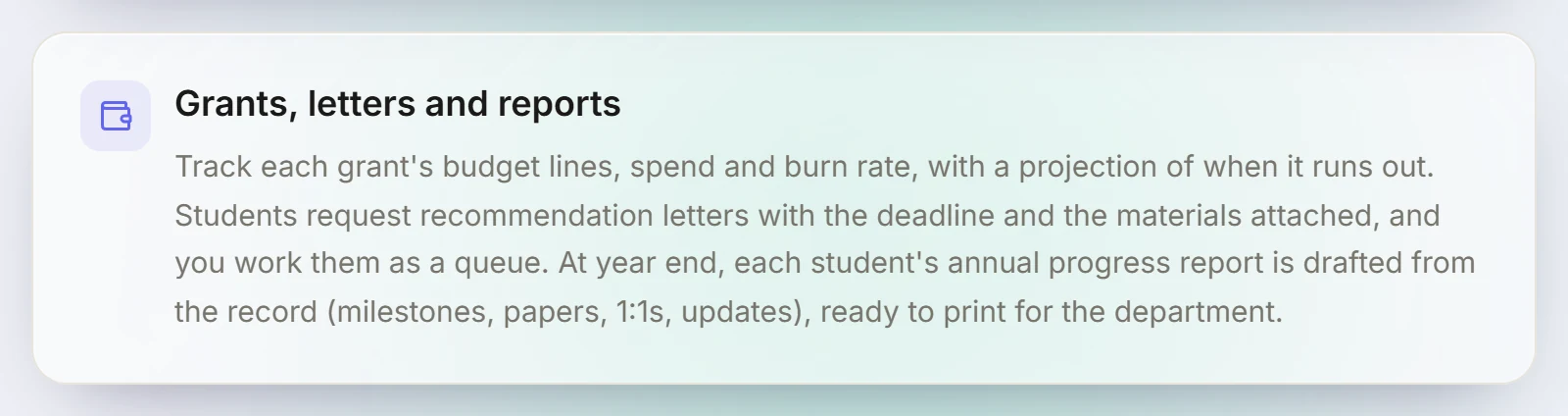
In a LetRelay research group, each grant tracks its budget lines, spend and burn rate, with a projection of when it runs out, and funding end dates show up well before they arrive. Grants stay with staff: students get neither the tab nor the rows, and that rule is enforced in the database, not only hidden in the interface. Purchase requests from the lab's request desk and reorders from low stock sit next to it, so spending decisions and the budget are in the same place. LetRelay does not replace your institution's financial system of record; it gives the PI a working view of it. More on the LetRelay for research groups page.
FAQ
What is a grant burn rate?
The rate at which a grant's budget is spent compared with the time elapsed on the award. A burn ratio of 1.0 means spending is exactly on pace; above 1 means spending faster than time is passing, below 1 slower.
How do you calculate burn rate for a grant?
Divide the percentage of the budget spent by the percentage of the award period elapsed. For monthly figures, compare actual monthly burn (spent to date divided by months elapsed) with planned monthly burn (total budget divided by months in the award).
How do you project when a grant will run out?
Subtract spending to date and committed costs from the total budget, then divide what is left by your expected monthly spend from now on. Add that many months to today's date.
Is a low burn rate a problem?
Not if it was planned, for example a hiring delay you expected. Unexplained underspending can attract sponsor questions and may leave work unfinished, so update your spending plan and talk to your research office early about options.
How often should a PI review grant spending?
Monthly, with the grant administrator, and update the spending plan at least quarterly. Review immediately when a large purchase or hire changes the plan.
Sources
Building LetRelay, the workspace for research groups and small teams: lab management, supervision tools, and an internal request desk with AI triage and SLA tracking.
Run your research group on LetRelay
Tasks, deadlines, weekly updates and supervision in one place, so you stop chasing students for news. Free for up to 5 people.
Keep reading
Lab Equipment Booking System: Fair Rules and Free Options
Booking rules that keep shared microscopes, instruments and GPU nodes fair, a copyable policy, and an honest comparison of free and paid lab booking systems.
NIH Data Management and Sharing Plan: 2026 Format Guide
The seven elements of NIH's 2026 DMS Plan format, how to answer each one, the 300 and 100 word limits, budgeting, and what the lab has to do after the award.
Lab Inventory Management: Spreadsheet Template and Tools
The columns a lab inventory spreadsheet needs, how to set reorder levels, a simple ordering workflow, and when to move to free or paid inventory software.